Maps of Nikumaroro: Difference between revisions
Jump to navigation
Jump to search
Rickerjones (talk | contribs) No edit summary |
Rickerjones (talk | contribs) No edit summary |
||
| Line 21: | Line 21: | ||
* [http://tighar.org/aw/kmz/Niku_Seamount.kmz Niku Seamount] | * [http://tighar.org/aw/kmz/Niku_Seamount.kmz Niku Seamount] | ||
<!-- Please leave this Category tag at the bottom of this article. Thanks! MXM, SJ --> | <!-- Please leave this Category tag at the bottom of this article. Thanks! MXM, SJ --> | ||
[[Category: | [[Category:Nikumaroro|Maps]] | ||
Revision as of 23:42, 7 February 2009

Map / Photo Gallery
-
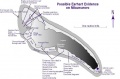
nikumap.jpg
-
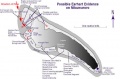
nikumapanno.jpg
-
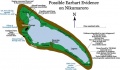
nikumapevidence.jpg
-
nikumapfred.jpg
-

nikumapplain.jpg
-
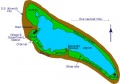
Nikumaroro.jpg
-
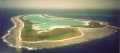
nikupic.jpg
-
Nikusunrise.jpg
-
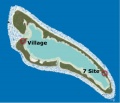
nikuVsitemap.jpg
-

phoenixgroup.gif
-
phoenixmap.gif
-

siteloc.jpg


Google Earth .kmz files
To use .kmz files you must have Google Earth installed on your computer. Save the .kmz file on your computer where you can find it. Start Google Earth, select File / Open and then browse to the saved .kmz file. Nikumaroro will come into view. Bathymetric 3-D viewing is available with Google Earth 5.0. Select "View" and check "Water Surface". In the "Layers" panel, turn on "Terrain". For underwater features and content related to oceans, select "Ocean" in the "Layers" panel.